
Network configuration failed?
Technical SupportSolutions
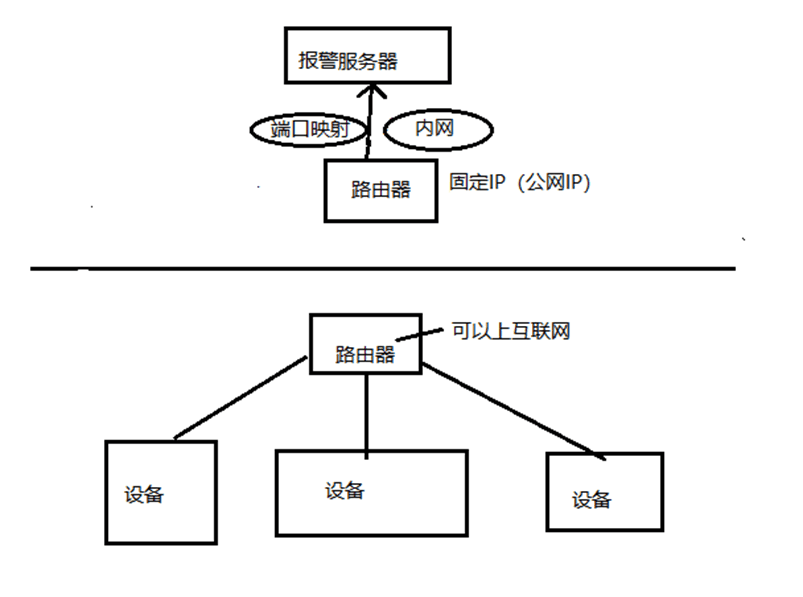
There are two possible scenarios based on your network setup:
Scenario 1: For use within a local area network only (no internet access)
- Make sure the device and the intercom server are on the same local area network.
Scenario 2: Requires internet access
- Device requirements: The device must be able to connect to the internet successfully.
- Server requirements:
- The router connected to the computer hosting the intercom server must have a public fixed IP address.
- Enter this public IP address when registering the device.
- Set up port mapping on the server-side router to direct the communication port (e.g., 9534) to the computer where the server is installed.