

Device audio issue - No sound or noise?
Technical SupportSolutions
1. Basic checks
- If you speak on the device but the computer doesn’t hear you → Check the computer’s speakers and the device’s microphone.
- If you speak on the computer but the device doesn’t hear you → Check the computer’s microphone and the device’s speakers.
2. Device noise
Solutions:
- Identify the type of noise:
- Echo: Ensure the microphone and speaker of the conference mic are at a 90° angle and there are no obstructions in front of the device.
- Self-resonance: Verify that the power supply is 12V/1A.
- General noise:
- Adjust the device volume to
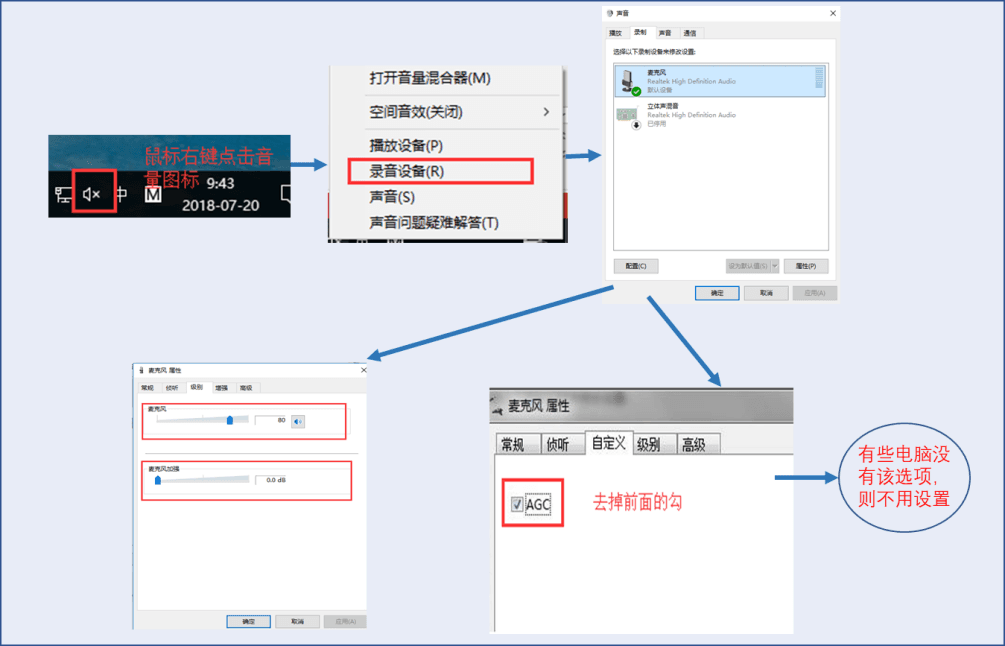
75~95, the microphone volume to80~92, and keep a distance of more than 3 meters between the computer and the device. - If it still doesn’t work, go to the computer’s microphone settings and set Microphone Boost to
0, then adjust the microphone level. - Some computers don’t have Microphone Boost; in that case, find the Custom Options in the microphone settings and uncheck the box in front of AGC.
- Adjust the device volume to
3. Computer noise
Solutions:
- Check if the device’s microphone is properly sealed.
- Check if the microphone cable is too long.
- Ensure the microphone’s positive and negative wires are not connected reversely.
- Adjust the device volume to
75~95and the microphone volume to `80~92). - Speak at a distance of more than 30 centimeters from the device.
4. No sound from the computer
Solutions:
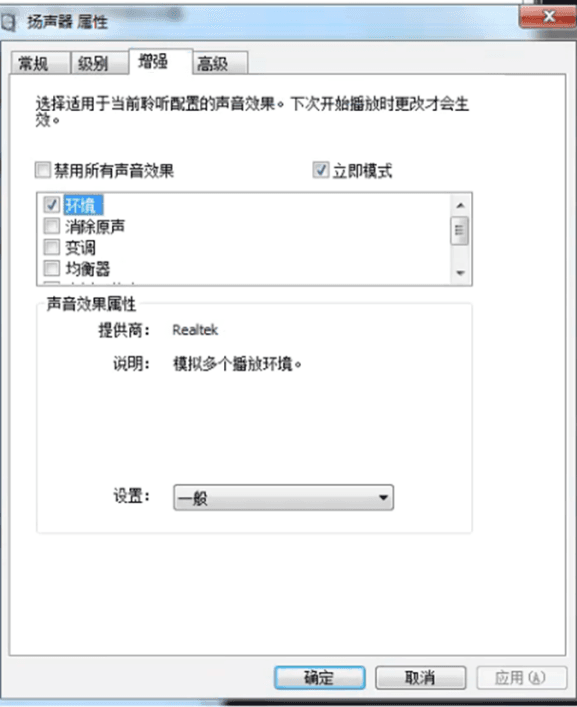
- Adjust the volume of the conference mic’s speaker.
- If it still doesn’t work, close the software and reopen it (make sure the conference mic is plugged in first).
5. No sound from the device or too low sound level
Solutions:
- Check if the light on the conference mic’s microphone is on.
- Check if the device’s playback volume is too low.
- Check if someone else is using the device.
- If the conference mic is not in use:
- Check if the computer has a microphone.
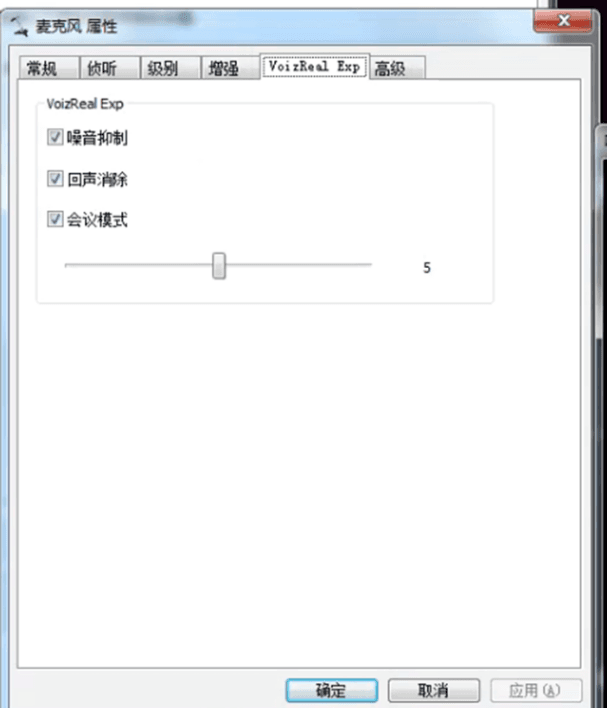
- Use the settings software to adjust the volume of the built-in microphone.
- If the settings software doesn’t work, go to the Computer Microphone Settings to adjust the volume.
- No sound from the device, but you can hear the device’s speaker → Check if the center or the settings software is in active monitoring mode.